AI Room Design
AI room design for $4.90 a room — no subscription required
Upload one photo and about 20 seconds later you have an HD redesign of that room — new furniture, materials and light, with the walls, windows and camera angle left exactly where they are. From $4.90 for one room, paid once.
One credit per render · Sign in to start · Plans from $19.50/mo billed yearly
Redesign your room from one photo
- Listing-ready HD
- Walls and windows stay put
- Cancel anytime
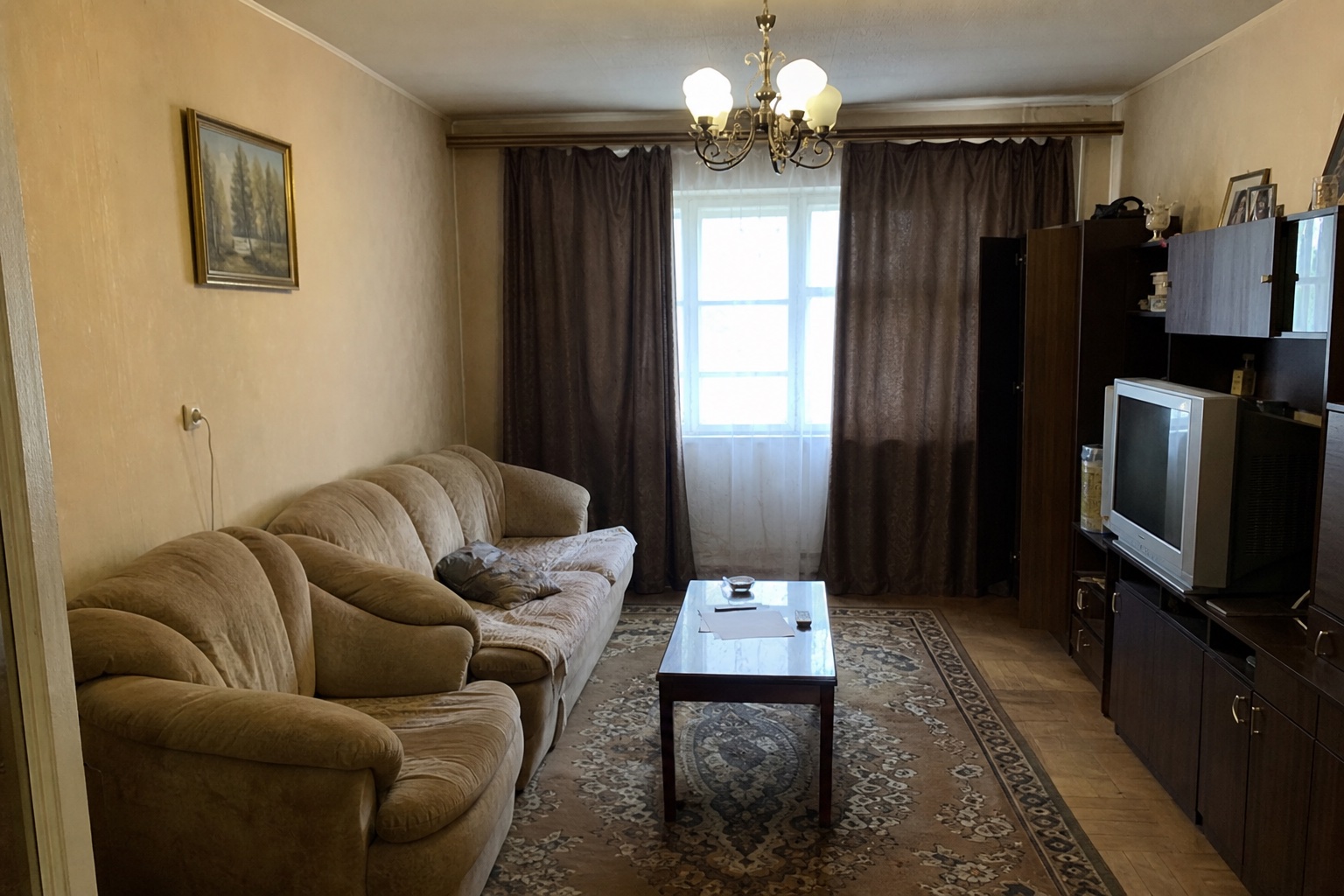
No photo to hand? This is the kind of shot that works well.
How it works — AI room design in 3 steps
1. Upload one photo of your room
A phone shot is enough. Stand back, get the whole room in frame, turn the lights on. Spacevo reads the walls, windows, ceiling height and proportions straight out of that single image, so there is nothing to measure and no 3D model to build.
2. Say what should change (optional)
One line does it — "warm Scandinavian living room", "make this bedroom feel bigger", "same layout, better lighting". Leave the box empty and the AI picks a clean modern direction on its own, which is usually a fair first look at what the room could be.
3. See the redesign in about 20 seconds
Your walls, windows and doors stay where the photo put them; the furniture, materials, light and styling are what change. Each render uses one credit from your Room Plan or subscription. Drag the slider to compare the two, and if the direction is wrong, rewrite that one line and run it again.
Why Spacevo has no free tier — and what $4.90 gets you
If you searched for free AI room design, here is the straight answer: Spacevo doesn't have a free tier. Every redesign runs on real GPU time, and that cost doesn't disappear when the price says zero — it gets paid somewhere else. Free tiers usually settle it in one of two ways. Either the free part is cut down until it can't answer the question you came with — a low-resolution preview, a single try, a long queue — or the cost comes back to you as a watermark across your own living room and ads around the result. We chose neither. You pay once, for the room you actually care about, and you get the whole result.
What $4.90 buys is the Room Plan: a one-time purchase for a single room, with nothing to cancel because nothing renews. It adds 6 credits to your account, and a restyle costs 1 credit, so that is six HD redesigns of the same photo — enough to try a few directions and keep the one that works. Each one comes back as a clean HD image, unwatermarked and licensed for commercial use, so it can go into a listing, a client deck or a brief for your contractor instead of staying in your camera roll. The credits stay valid for 180 days, so the second and third directions can wait until you have lived with the first.
So when is a subscription worth it? When you render every week — listings, client work, a whole house in stages. Starter is $39 a month for 40 credits, Pro is $79 for 100 and Studio is $149 for 190; billed yearly, the same plans come to $19.50, $39.50 and $74.50 a month. If there is one room on your mind — the living room you keep rearranging, the bedroom in a new rental, the kitchen you are pricing up — the Room Plan is the whole answer, and a plan never has to come up. Start with the room. If you find yourself back every week, that is when a plan earns its keep.
One room, $4.90 once: 6 credits, valid for 180 days, no subscription
1 credit per restyle, back in about 20 seconds
Room Plan renders are HD, unwatermarked and licensed for commercial use
What your Spacevo account is for
Rendering happens inside an account because that is where everything you pay for lives. A Room Plan or a subscription adds credits to it, and every order is recorded there too, so you can always see what you bought and what you have left. Your projects are kept the same way: each room you upload stays with its renders, so you can come back a week later, put two directions side by side and download the HD files again without uploading anything twice.
Creating the account asks for no payment details. A card comes in only when you buy credits, and only for what you picked: a Room Plan is charged once, a plan bills monthly or yearly. Spacevo works in seven languages, so whoever you are designing with can use it in theirs.
Every room you upload saved as a project, renders included
Credits, orders and HD downloads on one account
Available in seven languages
Room design styles — from modern to Scandinavian
Style is the fastest lever you have in an AI room design. The same photo run through two directions comes back as two genuinely different rooms, so it is worth trying more than one before deciding anything — that is what the six credits in a Room Plan are for. These are the directions people reach for most, and each one is a single line in the prompt box above.
Modern
Clean lines, low-contrast neutrals, uncluttered surfaces. The safest first render for almost any room — it shows you the space's potential without imposing a strong point of view.
Scandinavian
Pale wood, white walls, soft textiles and as much daylight as the room can carry. Especially good on small or north-facing rooms that read darker than they should.
Japandi
Japanese restraint with Scandinavian warmth: low furniture, natural materials, a deliberately quiet palette. A strong choice for bedrooms and any room you want to calm down.
Minimalist
Fewer objects, more breathing room. Useful when the real problem is not what the furniture looks like but how much of it there is.
Mid-century modern
Tapered legs, walnut tones, one confident accent colour. Adds character to a rental living room without touching a single wall.
French classic
Mouldings, soft creams, curved silhouettes and layered lighting. A dressier direction that suits dining rooms and main bedrooms.
Bohemian
Layered textiles, plants, warm earth tones and mixed patterns. The direction to try when a room is technically correct but feels lifeless.
Luxury
Deeper materials, statement lighting, one strong focal point. Best on rooms with height, a view, or an architectural feature worth building around.
Rearranging how the room is used rather than how it looks? The AI room planner is a better fit. Furnishing an empty property for a listing? That is what virtual staging does.
AI room design from photo — before & after
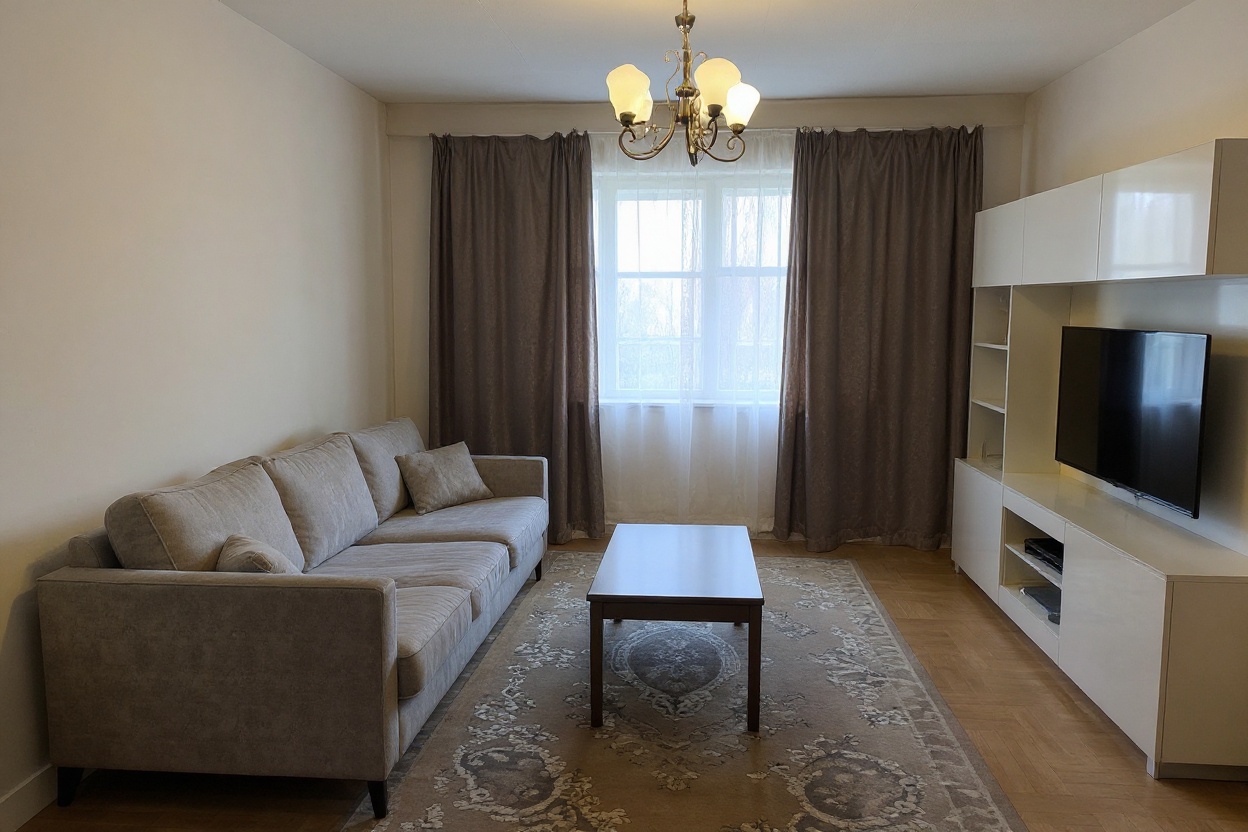
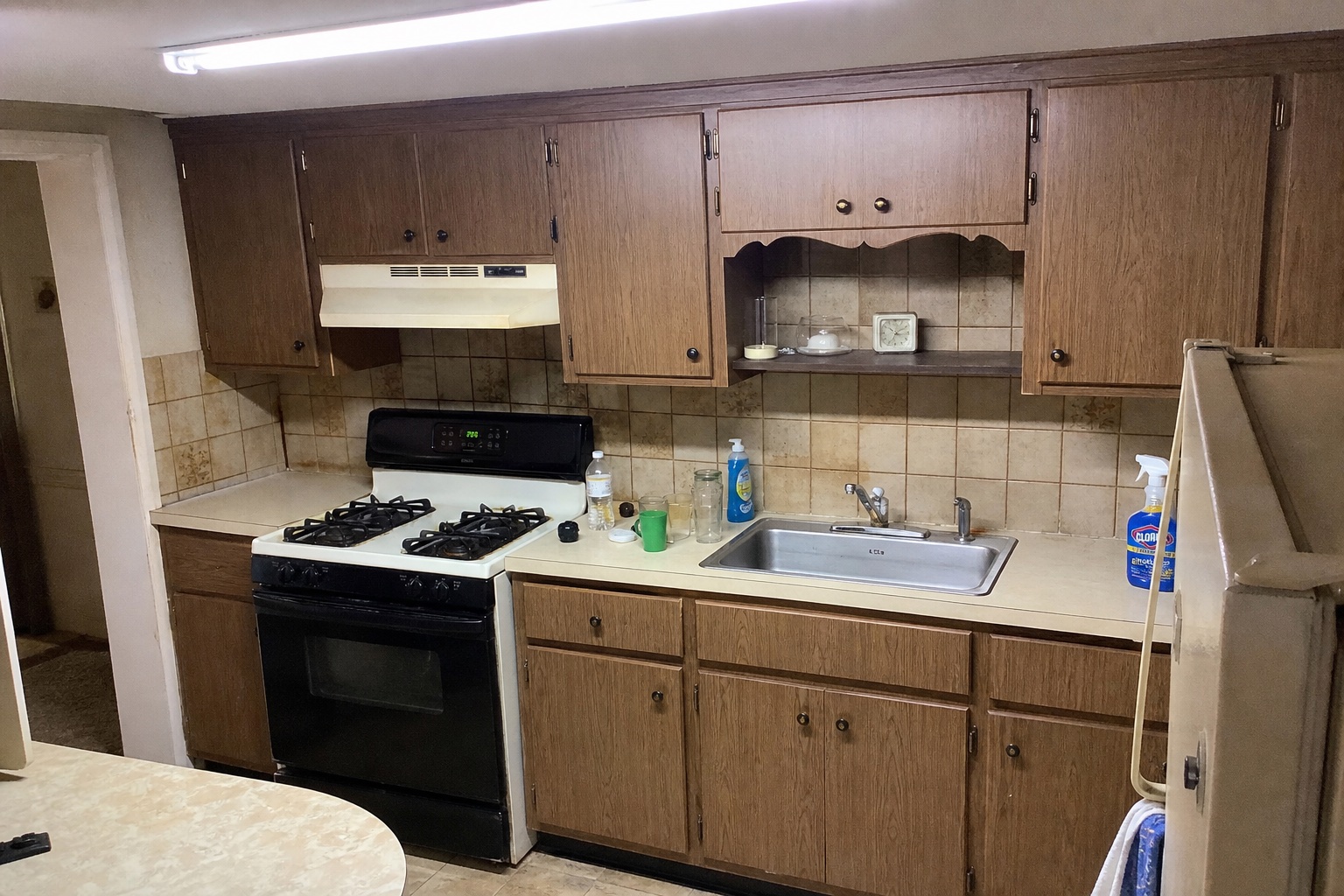
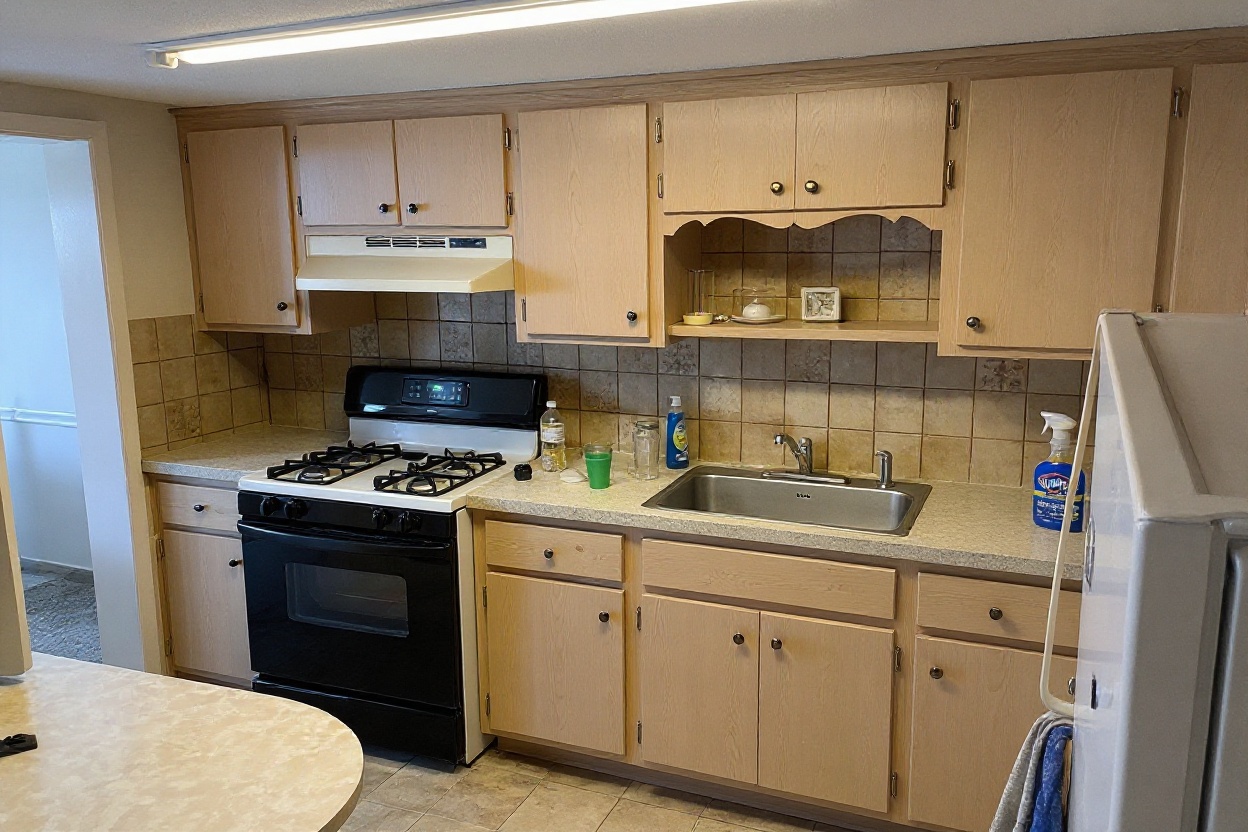
Every pair below started as an ordinary photo. Nothing was rebuilt, re-shot or staged in real life — the structure you see in the 'after' is the structure that was in the 'before', which is the whole point of working from a photo instead of a blank 3D canvas.
Before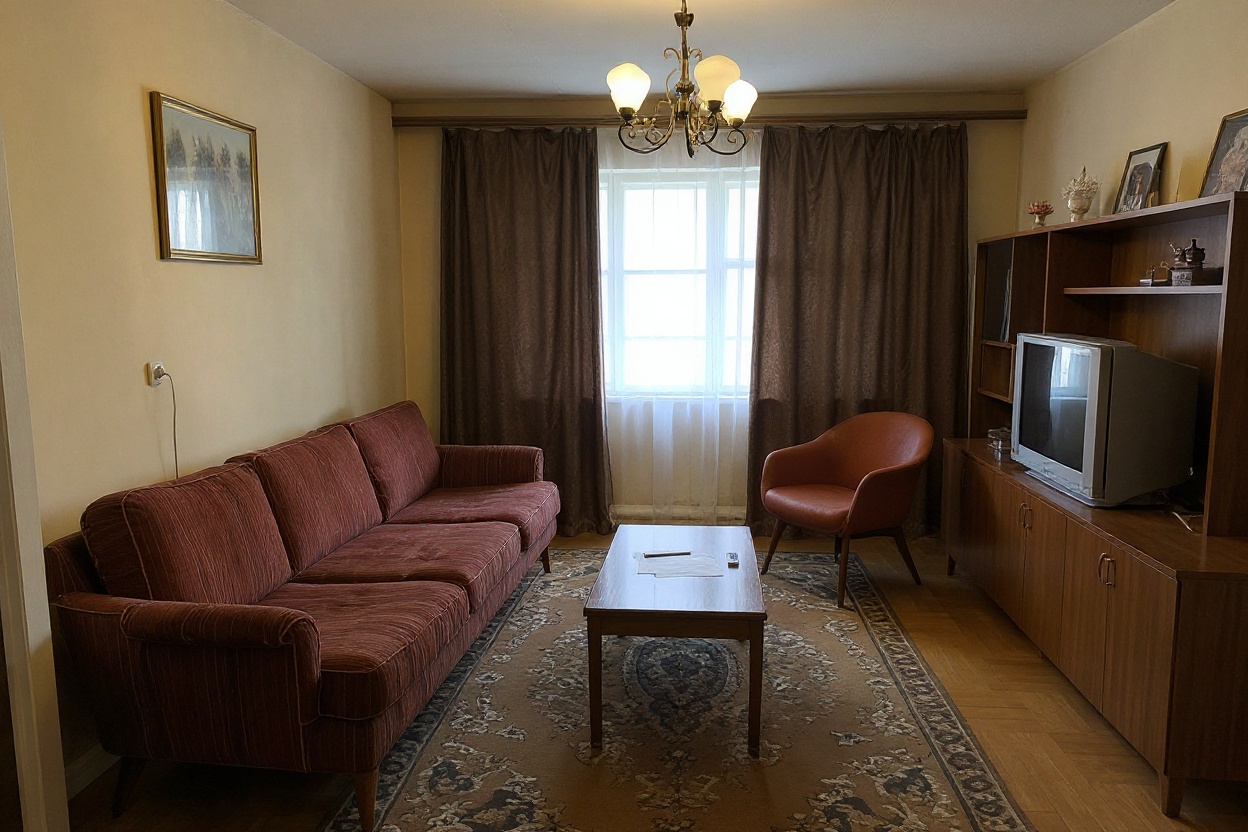 After
AfterDated living room → mid-century modern
Same sofa wall, same window, same ceiling. What moved is the palette, the lighting scheme and the furniture language — the room is still recognisably itself.
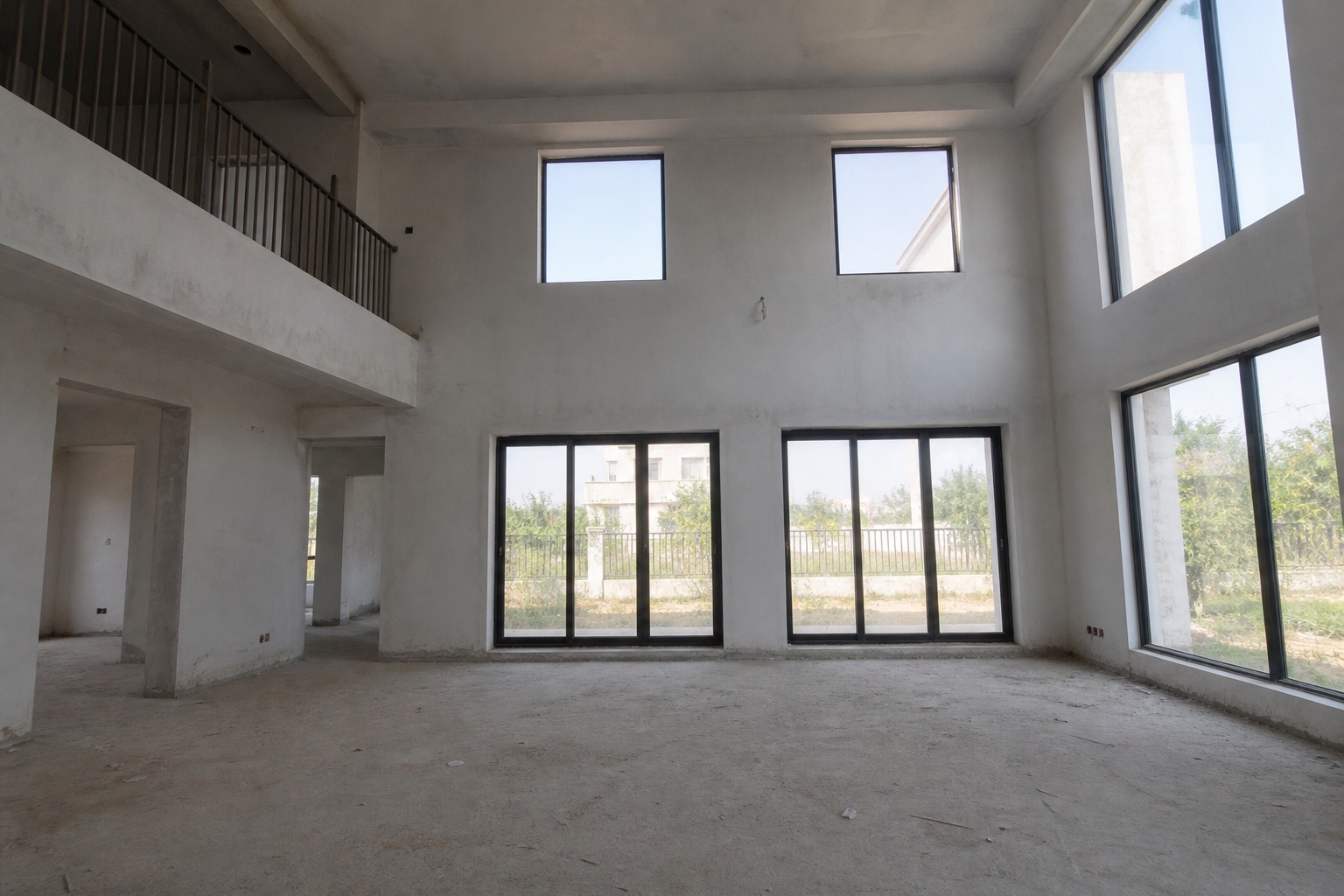 Before
 After
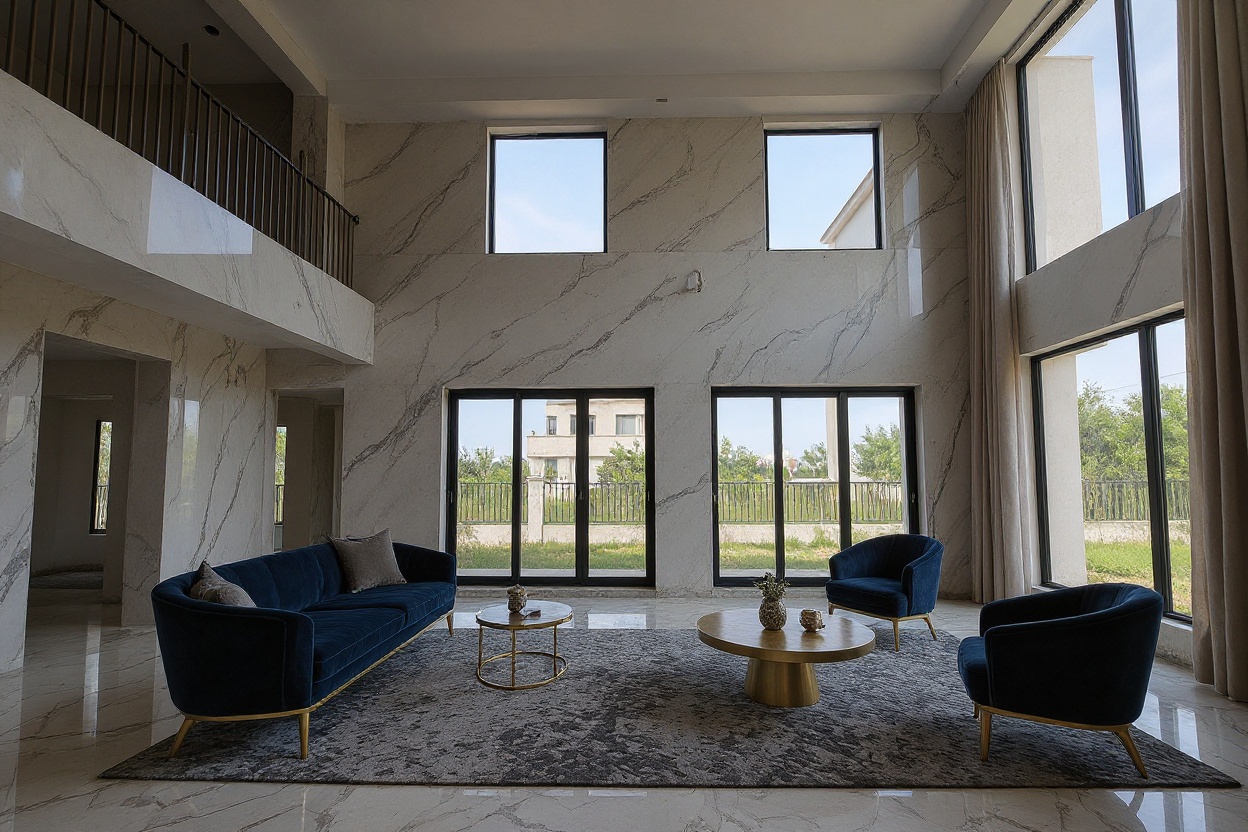
AfterEmpty villa room → luxury
An empty room gives the AI the most room to work. This is also the case that sits closest to virtual staging, where the job is furnishing a space for a listing photo.
 Before
 After
AfterOld kitchen → Scandinavian
Cabinet runs, worktop line and appliance positions all hold. Finishes, hardware and daylight do the work, which is what makes the result feel plausible rather than aspirational.
Why choose Spacevo — vs other AI room design tools
Many tools sell only monthly or yearly subscriptions, so seeing a full-quality result on your own room means committing to a plan first.
Many generators redraw the whole picture, so windows wander, walls shift and the camera angle drifts until it is no longer quite your room.
Layout-focused tools usually want a floor plan, room dimensions or a 3D model before anything happens.
One room is $4.90, once. You see the full result on your own photo — HD, unwatermarked, licensed — before a plan ever comes up.
Walls, windows and camera angle are locked to your photo. The furniture, materials and light change; the room stays yours.
One photo. The room is already measured — it is the one you are standing in.
We only state what we can stand behind. The Spacevo column is how the product works today; the other column describes common patterns, not any one tool. Pricing in this space changes often, so check each tool's current terms rather than taking our summary as theirs.
The product facts, side by side
| What matters | Spacevo | Typical AI room design tools |
|---|---|---|
| Works from one phone photo | Yes — no floor plan, no measurements | Usually, for photo restyling; layout and 3D planners often ask for a floor plan or dimensions |
| Keeps walls, windows and camera angle | Yes — locked to your photo | Often not promised; structure can change between renders |
| One room without a subscription | Yes — $4.90 once with the Room Plan | Often subscription-only, billed monthly or yearly |
The "Typical AI room design tools" column is a general description of how most tools in this category work — not a test or ranking of any single tool. Terms change, so each tool's current pricing and features are what count.
AI room design FAQ — free tiers, pricing and credits
Is there a free AI to redesign a room?
Not on Spacevo — there is no free tier. The cheapest way in is the $4.90 Room Plan: one room, six credits, so six HD restyles, unwatermarked and licensed for commercial use, with no subscription. That is the price of seeing what the AI actually does with your own room.
Can I use AI room design without logging in?
Rendering needs an account and credits from a Room Plan or a subscription. Uploading your photo and writing the one-line brief don't, so you can set everything up first and sign in when you press render. The account is where your credits, projects and HD downloads live, and signing up asks for no payment details.
What is the best free AI room design app?
It depends on what you need at the end. If you only want to play, a free tier somewhere else may be enough — check its resolution, watermark and usage rights before you upload your home. If you want a clean, licensed HD image of your actual room with the walls and windows kept, Spacevo's Room Plan does that for $4.90, once. There is nothing to install: it runs in the browser, phone included. If you are comparing options, Spacevo is listed on There's An AI For That.
Is there a 100% free AI interior designer?
Every render runs on real GPU time, so a free tier has to recover that cost somewhere — in how many renders you get, how sharp they are, the watermark on them or what you are allowed to do with them. Spacevo doesn't run one. You pay $4.90 once for a room, or from $19.50 a month billed yearly if you design every week, and every render you pay for is HD, unwatermarked and licensed for commercial use.
Is RoomGPT free?
RoomGPT sets its own pricing and limits, and those change — check RoomGPT's own site for its current terms. We can only speak for Spacevo: there is no free tier, one room is $4.90 once with the Room Plan, and subscriptions start at $19.50 a month billed yearly.
How to use AI to help design a room for free?
On Spacevo it costs one credit per render rather than nothing, and it takes three steps. Upload a straight-on photo of the room with the lights on. Optionally type one line about what you want — a style, a mood or the specific problem you are trying to fix. Sign in, press render, and the redesign comes back in about 20 seconds; drag the slider to compare. If it misses, change that one line and run it again rather than uploading a different photo.
Is there a completely free AI home designer?
Not here, and a whole home is where the math matters most. The Room Plan covers one room for $4.90, which suits a single project. For several rooms, look at the plans: Starter is 40 credits a month for $39, or $19.50 a month billed yearly, and at 1 credit per restyle that is 40 restyles a month to spread across the house.
Can AI generate images of rooms?
Yes, and it helps to separate three different jobs. Restyling takes your existing room and changes finishes, furniture and light while holding walls and windows in place — that is what this page does, at one credit per render. Virtual staging furnishes an empty room for a property listing. Layout planning rearranges how a room is used. Spacevo has a dedicated page for each of the last two.
Is there a free AI to change my room?
Not on Spacevo. Changing a room here costs one credit per render: upload the room, describe the change in one line, and a redesigned version of that same space comes back in about 20 seconds. The cheapest way in is the $4.90 Room Plan — six credits for one room, no subscription.
Is AI interior design free?
Some tools offer free tiers; Spacevo doesn't. Here you pay for output you can actually use: the $4.90 Room Plan covers one room with six HD, unwatermarked restyles licensed for commercial use, and subscriptions start at $39 a month for 40 credits — $19.50 a month when billed yearly.
Do I need a credit card to try Spacevo?
Not to create an account — signing up asks for no payment details. Rendering does need credits, so the card comes in when you buy them: $4.90 once for a Room Plan, or a subscription if you render every week. Nothing is charged until you choose one.
How many renders do I get for $4.90?
Six. The Room Plan adds 6 credits to your account and a restyle costs 1, so that is six HD restyles — unwatermarked, licensed for commercial use and valid for 180 days. Spend them refining one direction, or try six different styles on the same room.
Try AI room design on one room for $4.90
One photo, about 20 seconds per render, walls and windows untouched. The Room Plan is $4.90 once: six HD, unwatermarked restyles of your room, licensed for commercial use, with no subscription.
Redesign my room