AI Room Makeover
AI room makeover — see your room made over from one photo
The room is not broken, it is just tired — and every makeover show cuts from "before" to "after" without telling you which changes did the work. Upload yours and see the after first.
★ 1,000+ rooms replanned · HD, structure intact · from $4.90 one-time
1 render = 1 credit · From $4.90 one-time
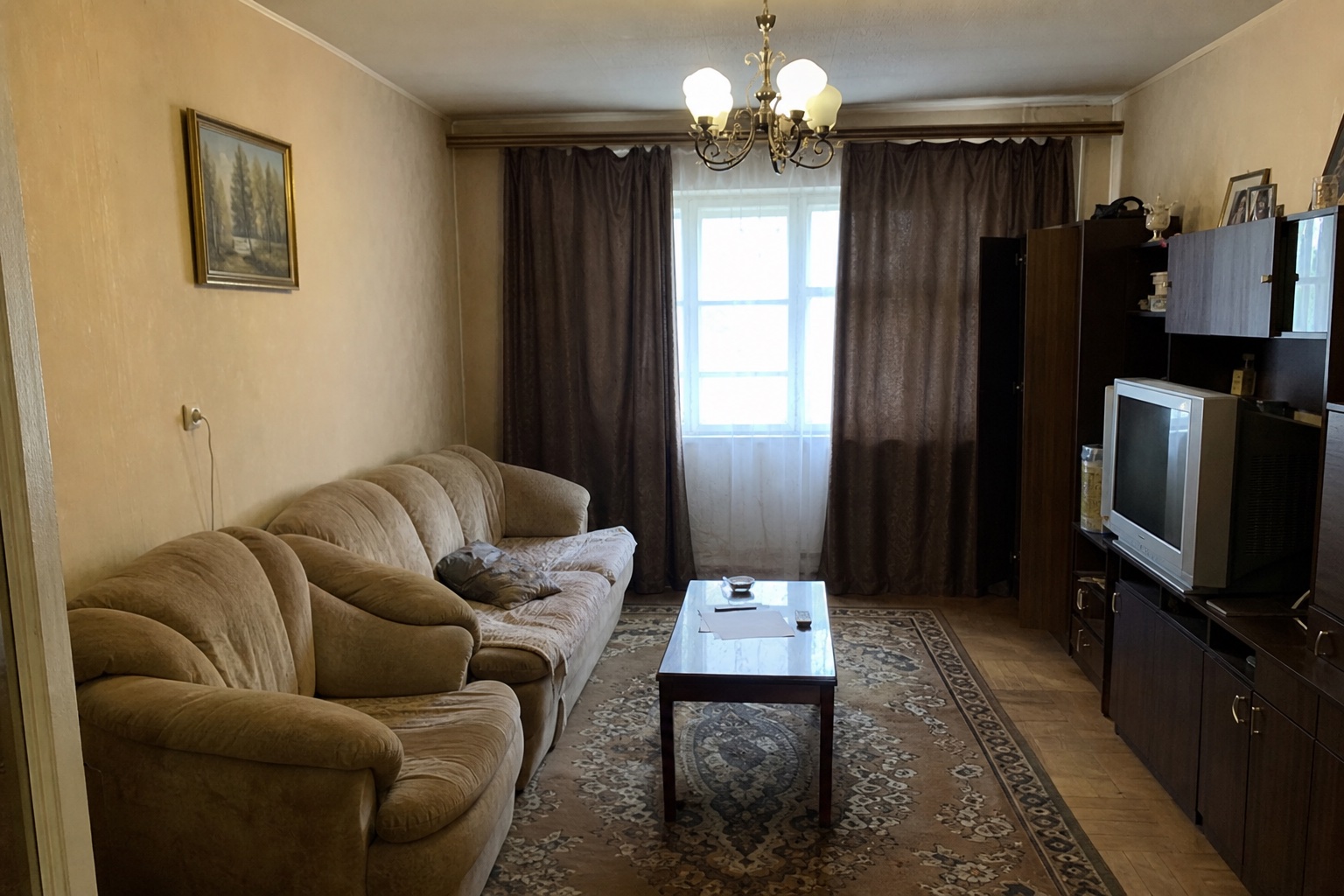
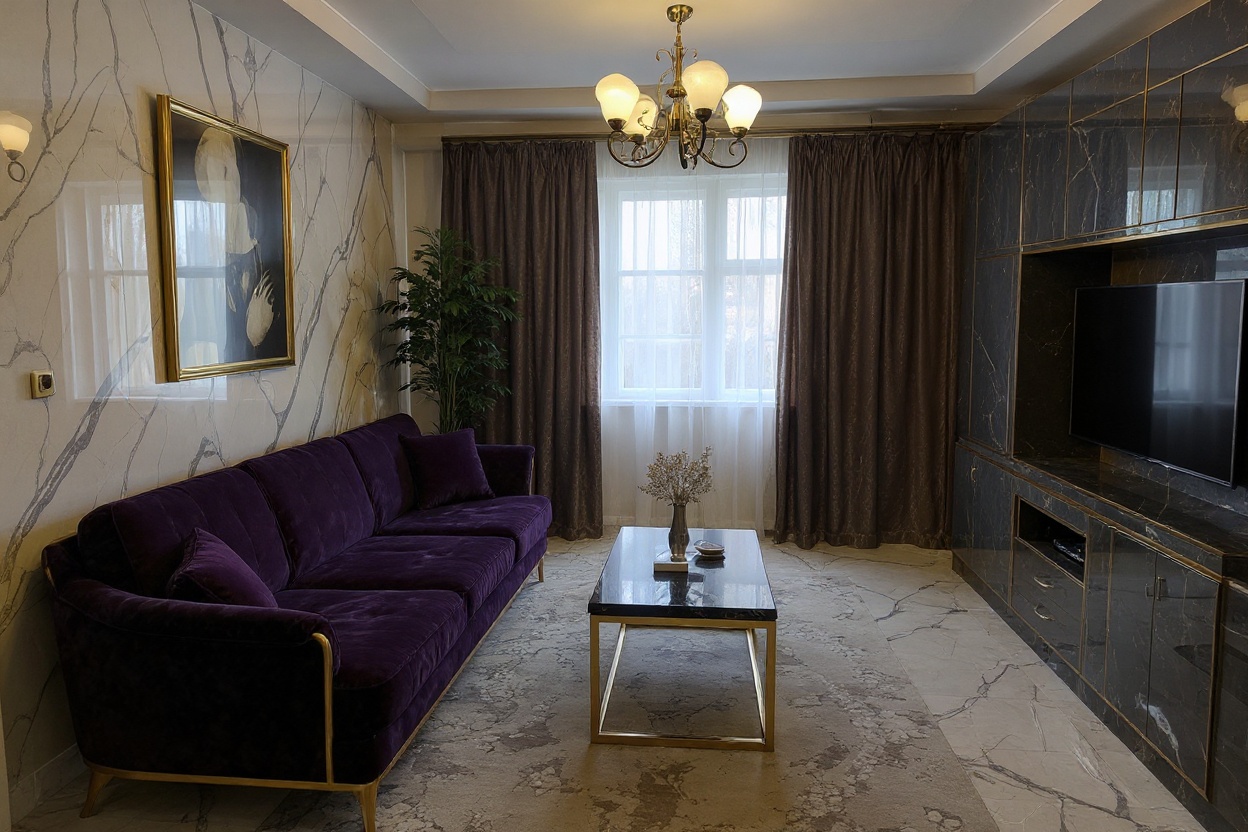
Make over your room from a photo
- Listing-ready HD
- Walls and windows stay put
- Cancel anytime
No photo to hand? This is the kind of shot that works well.
How the AI room makeover works
Photograph the room as it is
No tidying required — a dated, cluttered or half-empty room is exactly what a makeover tool is for.
Pick a direction
"Warmer and calmer", "mid-century", "brighter without repainting". Leave it blank and the AI picks a clean modern makeover.
See the after in about 60 seconds
Furniture, textiles, colour, décor and lighting all change together. Your walls, windows and proportions stay exactly as photographed.
Who uses an AI room makeover
Homeowner with a tired room
You know it needs something, not what. Two makeovers side by side usually turn a vague feeling into a shopping list you can act on.
Renter with a deposit to protect
Nothing drilled, nothing painted. Render the version that only changes textiles, lighting and furniture, and you know the ceiling of what is possible.
Agent preparing a lived-in listing
Buyers discount tired rooms fast. A makeover render beside the honest photo shows the potential without booking a stylist.
Hiring a stylist vs. Spacevo
A consultation, a mood board and a fee before you see your own room.
The board is made of other people's rooms and other people's light.
A second direction means a second appointment.
One photo, about 20 seconds, one credit.
The render is your room, your window, your proportions.
Rerun in another style and compare the two side by side.
AI room makeover FAQ
Can AI make over my room?
Yes. Upload one photo and the AI returns the same room made over — furniture, textiles, colour, décor and lighting — in about 60 seconds. The room's structure stays exactly as photographed.
Is the AI room makeover free?
No — Spacevo has no free tier. Rendering needs an account and either a plan or the $4.90 one-time Room Plan, so you can test it on a single room before subscribing. Every paid render is HD, watermark-free and licensed for commercial use.
Does the room need to be tidy first?
No. Clutter, dated finishes and half-empty rooms are the normal input. A clear, well-lit shot of the whole room matters more than a tidy one.
Which rooms can it make over?
Living rooms, bedrooms, kitchens, dining rooms, home offices, kids' rooms, bathrooms, entryways and balconies. Say what the room is and it works to that.
Can I use the makeover render to actually buy things?
That is the most common use. Treat it as a visual brief — it shows the direction, the palette and the scale of the pieces, then you source the real items to match.
See the after before you spend anything
Create an account, pick a plan, and render in about 20 seconds.
Make over my room